
Skip to content

Finding the Right Tobacco POS System:
A 6-Step Guide

Are you in the market for new tobacco shop technology? Here’s the hard truth: Those popular, generic point of sale (POS) solutions simply won’t cut it.

You need a POS system specifically designed for the payment processing, compliance, and inventory management needs of tobacco shops.

This guide walks through everything you need to know to find the right tobacco POS system, including:

  • On-premise vs. cloud-based basics
  • A checklist of must-have features
  • Payment processing 101
  • Essential hardware components
  • Onboarding and support needs

Let's dive in. 

On-premise vs cloud-based tobacco POS systems

Decide Between an On-Premise and Cloud-Based Tobacco POS System

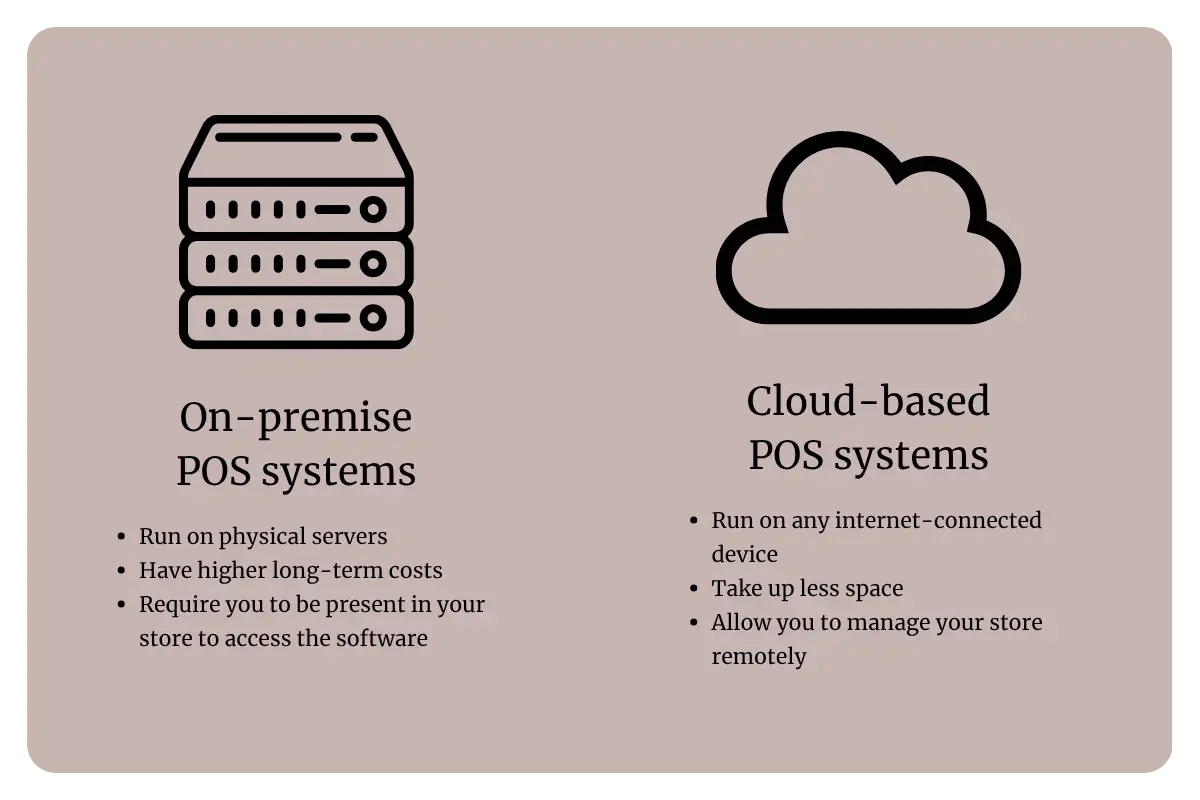
First, you need to decide whether you’re looking for an on-premise POS solution or cloud-based software. Here’s what makes them different:

  • On-premise POS solutions run on servers physically located in your store.
  • Cloud-based POS software can run on any internet-connected device, eliminating the need for physical servers.

Our recommendation: Go with cloud-based. Cloud-based POS systems are the gold standard for modern tobacco shops because:

  • They have lower long-term hardware costs since you don’t have to purchase or maintain bulky servers.
  • They’re more secure because they get automatic software updates.
  • They allow you to check inventory, create purchase orders, adjust prices, and more from anywhere, at any time.

If your goal is to manage your tobacco shop remotely, a cloud-based POS system is definitely your best bet.

Make a List of Essential Tobacco Store POS System Features

Next, you need to know what features to look for. While all POS systems should offer retail essentials like inventory tracking and promotions, tobacco shops need a few industry-specific tools, including:

icon-2-1
Carton-pack inventory tracking
If you sell cigars, you need to break cases into individual units for sale. A POS system with carton-pack inventory tracking makes this easy, letting you track and sell a single SKU by the carton or individual pack.
icon-Aug-07-2025-04-43-35-7595-PM
Age verification

Selling tobacco to customers under 21 is illegal in all 50 states — which is why your POS system should prompt cashiers to check ID for every sale. Look for a system that integrates with fast, secure ID scanners.

icon-3-1
Cigar label printing

Individual cigars don’t always have a barcode, making checkouts and inventory counts more complicated. Look for a POS system that allows you to create and print custom-sized cigar barcode labels.

icon-4-1
Tobacco scan data reporting

Want to take advantage of tobacco manufacturer rebates? You need a POS system that generates scan data reports.

icon-1-1
Customer loyalty

If you want to compete with gas stations and grocery stores, you need to incentivize customers to choose your shop for all their tobacco needs. Look for a POS system with a built-in customer loyalty program.

icon-b-1
Flexible promotions

Boost your tobacco shop’s sales by offering mix and match deals or creating product kits for new smokers. You should be able to schedule these discounts, so they apply automatically at checkout.

icon-a-1
Tax rate management

Managing federal, state, and excise taxes can be complicated, but the right POS system helps you maintain accurate tax records and track accurate per-SKU costs.

icon-6
Custom product notes

Help customers find the perfect cigar by keeping detailed notes on the origin, flavors, and qualities of each SKU in your inventory.

icon
Compliance-friendly reports

Protect your tobacco license with audit-ready inventory and sales reports, and get valuable insights into which products are flying off the shelves and which are costing you money.

Downloadable Checklist: Essential Tobacco POS System Features

Make your search for the perfect tobacco POS system easier with this downloadable checklist of must-have features! Use this free resource to guide your conversations with different tobacco POS providers.

Understand Tobacco POS Payment Processing

Another major role of a POS system is processing sales transactions. This might sound simple, but there are actually several ways things can go wrong — especially for tobacco stores and smoke shops.

For example, many tobacco retailers have reported unexpected cancellations of their payment processing services from generic POS providers like Clover, bringing their business to a halt.

That’s why it’s so important to find a POS solution built specifically for the tobacco industry. Here’s what to look for:


The Best High-Risk Payment Processors for C-store - BLOG


  • Integrated payment processing: Instead of relying on two separate providers for your POS software and payments services, look for a single system that does both. This is usually more affordable and more secure.
  • High-risk merchant accounts: This allows you to sell highly regulated products like CBD and delta-8 hassle-free, without the risk of cancellation.
  • Dual pricing: This helps you reduce payment processing fees by encouraging customers to pay cash. Card-paying customers pay your regular prices, and cash-paying customers get a slight discount.
  • Offline payment processing: If there’s an internet outage, your POS system should still be able to process payments.

Know What POS Hardware Tobacco Retailers Actually Need

Next, let’s talk about what kind of hardware you need to run your new tobacco POS system. If you already have a solid setup of commercial-grade hardware, look for a provider that has a bring-your-own hardware policy.

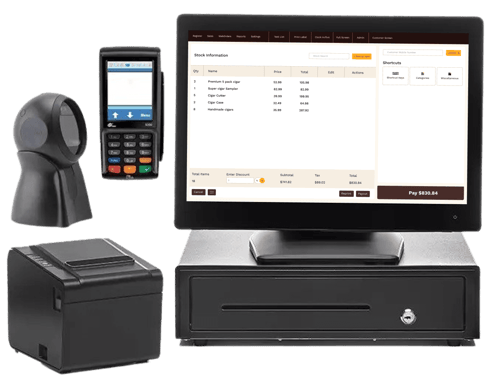
If you’re opening a new smoke shop or want to fully replace your POS system, here’s what you need:

PlaceholderProduct


All-in-one computer

A touchscreen computer lets your cashiers look up products, ring up customers, apply discounts, and more. Look for one that’s easily customizable, so you can put their most frequently used features right at their fingertips.
AIO_All Purpose


Barcode scanners

Barcode scanners replace manual product entry at checkout, ensuring fast, accurate transactions. Single-line barcode scanners are less expensive, but barcodes have to be lined up correctly or they won’t scan. Omnidirectional scanners cost more, but they let you read barcodes at any angle.

ID scanners

Some barcode scanners also double as age verification devices, allowing you to scan customers’ IDs to verify that they’re legitimate and of legal smoking age.

Bar Code Scanner


Barcode printer

If you sell merchandise that doesn’t come with barcodes, like individual cigars that were part of a box, having a barcode printer allows you to print custom labels in a variety of shapes and sizes. While non-barcoded items can be entered into a POS touchscreen menu, the checkout process can be much more efficient with a printed barcode.

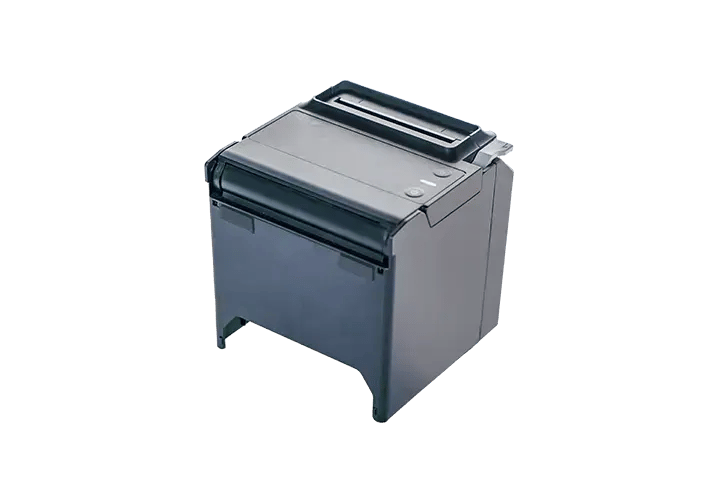
Receipt printer

Printers use direct thermal technology to print receipts, burning the text into the paper. Direct thermal printers are fast, quiet, and don’t require ink ribbon refills.
Recipt Printer_All Purpose


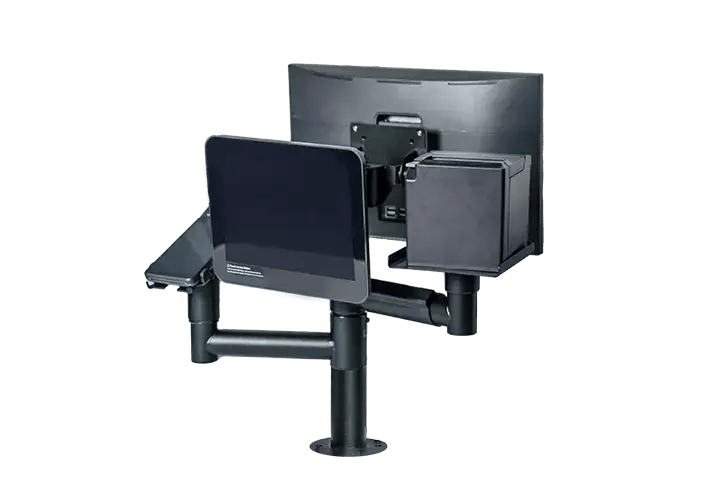
Customer displays

Customer displays, or pole displays, allow customers to see the item and price being rung up by the cashier. Displays come with colored LCD screens or dot matrix (“old-school” black and green) and are placed on a pole or mounted to the back of the POS system. Customer displays can also be touchscreen, making it easy for those who are part of (or want to join) your loyalty program to enter their phone number during checkout.


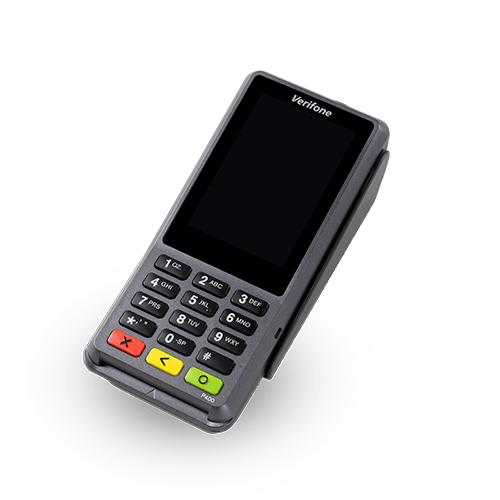
Pinpads

You need a pinpad to accept chip cards and debit cards. If your customers regularly spend more than $20, allowing chip and PIN transactions may help lower your total credit card processing fees. Pinpads can help you accept mobile payments, too.
Verifone-P400-PINpad


Handheld device

If you run a cigar lounge, consider investing in a handheld POS device. This lets you serve customers and process transactions from the lounge floor, providing a more relaxing experience.


Look for the Right Onboarding and Support

Choosing the right POS system is only half the equation. The provider behind that system — how they bring you on, train your staff, and show up when something goes wrong — can make or break your day-to-day experience.

Let’s explore how to tell a trustworthy provider from one that you should stay away from.

Red flags

Generic onboarding

If your provider and support team don’t have much experience in the tobacco industry, you’ll have to figure out carton-pack inventory, age verification, and compliance-friendly reporting on your own.

Add-on fees
The best providers include onboarding and support in their software subscriptions, so hesitate before paying additional fees for these services.
Impersonal helpdesk

If you're handed off to a generic helpdesk from day one, expect slow responses and staff who don't know your setup.

DIY data migration

Providers who expect you to manually reenter your product catalog, customer history, or vendor data are setting you up for a slow, error-prone launch.

Green flags

Industry expertise

Choose a provider that works primarily with tobacco retailers. This ensures your support team understands your inventory and regulatory compliance challenges.

24/7 support

Tobacco shops are often open during early mornings and late nights, so look for a provider that offers around-the-clock technical support.

Dedicated implementation support

You should have a single contact who understands your business, trains you on the software, and manages your go-live — ensuring accountability through the transition.

Assisted data migration

Transferring your inventory catalog is the toughest part of transitioning to a new POS system, so look for a provider who will import your data at no additional cost.

Get Started With Your New Tobacco POS System

The next step on your journey toward the right tobacco POS system is to schedule a live demo. You’ll meet with a tobacco retail industry expert, see the software in action, and get answers to all of your questions.

Schedule your personalized Cigars POS demo today!