Pricing
Get a Demo
Build & Price

Detailed reports for tobacco retail

Make decisions based on real data — not a hunch — to keep more cash on hand, make better purchasing choices, and understand your customers better.

Tobacco retail inventory management software | Cigars POS

Every report you need, all in one place

Cigars POS combines your inventory and sales data to create easy to read visual dashboards and tables.

Cigars POS AI-powered invoice scanning

Category sales

See which brands and varieties drive the most sales and highest profits.

Cigars POS - Age Verification Icon

Compliance tracking

Keep detailed inventory, sales, and age-verification records to stay legally compliant.

CGR - Inventory Management Page - Auto Rank

ABCD ranking

Assign every product in your stock a ranking from A to D based on sales volume to spot dead stock and trending products.

CGR - Inventory Management Page - Low stock

Stock history

Keep track of your wholesale costs, how much you’ve ordered and sold from each supplier, and how those items sold month over month.

CGR - Inventory Management Page - Group Pricing

Customer data

Use your loyalty program data to better understand your customers’ preferences, craft more effective marketing, and track sales history.


CGR - Inventory Management Page - Scan Data

Scan data support

Keep detailed inventory and sales records to export and participate in tobacco scan data incentive programs. 

We wanted a POS system with a robust back of house system. So with inventory control and with reports, it allows us to see what’s moving and what’s not moving. Having those reports for our accounting was really important to us.

Jason Rudolph

Co-Owner | Scenic City Cigars

Get a clear picture of your tobacco inventory

Take the guesswork out of knowing what’s in stock, what’s selling, and what your costs are.

circle-check

Unlimited SKUs and product variants

Add an unlimited number of SKUs, generate unique product codes for unlabeled items, and combine product variants (e.g., cartons and packs, individual cigars and boxes) into a single inventory tracking for faster checkout and more accurate stock tracking. 

circle-check

Cost and vendor tracking

Manage suppliers and inventory in the same system so you can keep track of supplier costs, set pricing, and monitor supplier performance.

circle-check

Low-stock reports

Get a consolidated report of every product that’s running low and generate new purchase orders (POs) directly from the system.  
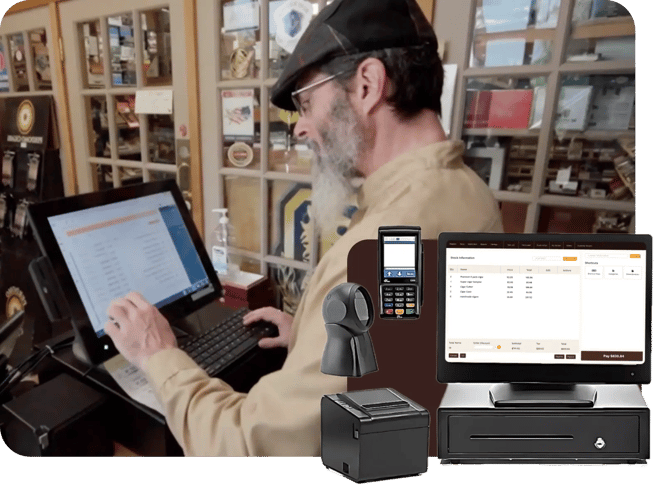
Stress-free onboarding and support

See your best sellers at a glance

Leverage Cigar POS’ AI-powered auto ranking tool, which ranks your stock from A to D based on sales volume. Auto ranking helps tobacco, cigar, and vape shops:
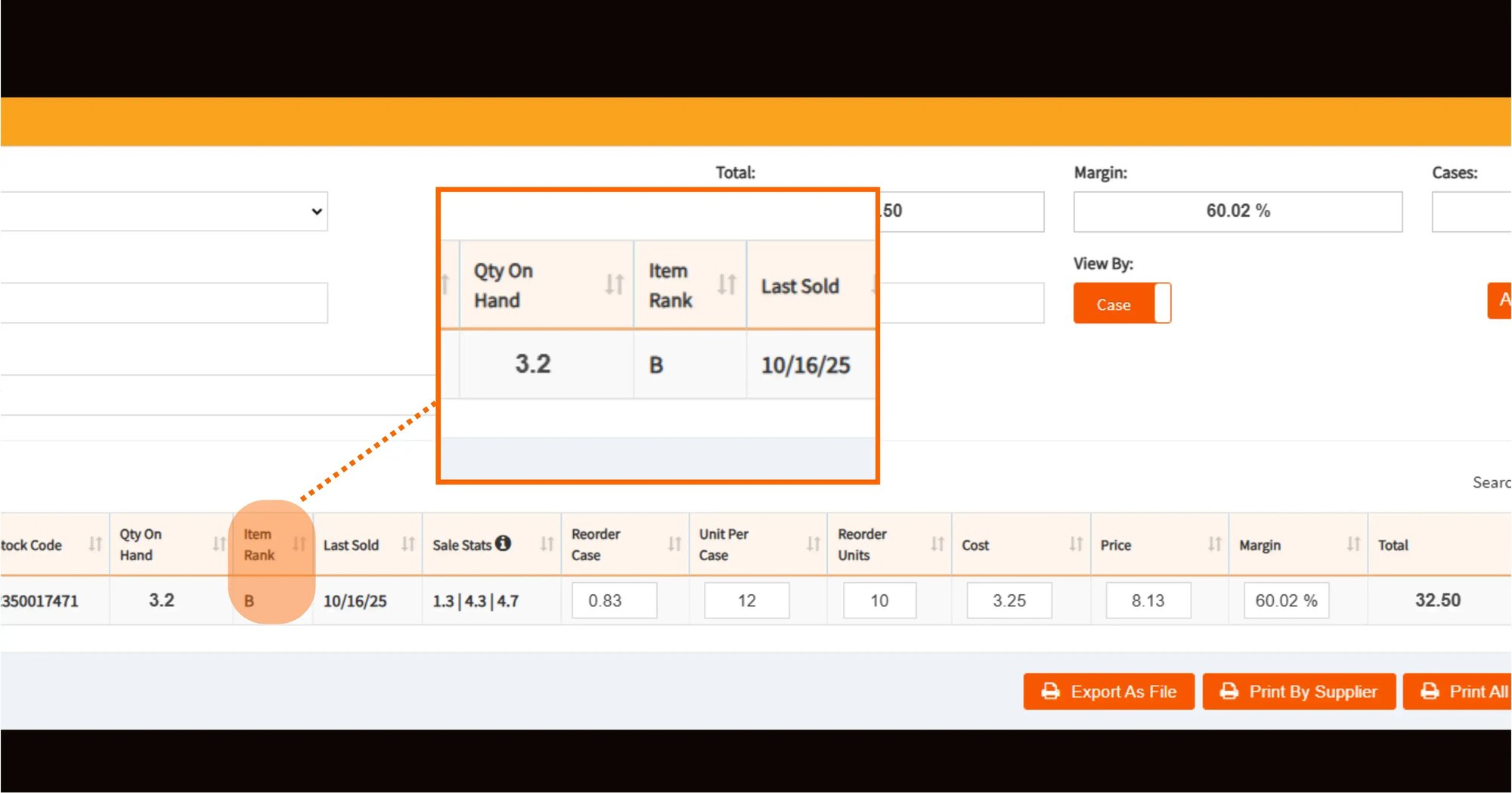
  • Identify dead stock to discount or phase out.
  • Spot sudden demand spikes as they happen.
  • Understand what’s most popular at a glance.
  • Avoid stockouts.
  • Understand their store’s inventory health.
CGR Blog - Auto Ranking Screenshot w Pop Out

We love being able to streamline the inventory. Because we had a lot of extra SKUs before, we’d have to split up individual items and boxes. Now, we can have them all combined into one.

Ed Caster

General Manager, Tobacco Town Cigar Lounge

Ed caster, cigars pos customer

FAQs

Cigars POS reporting tools

Does Cigars POS support scan data reporting for manufacturer incentive programs?

Yes. Cigars POS has integrated scan data reporting to take advantage of manufacturer rebate and incentive programs.

Can I export my sales data from Cigars POS to Quickbooks?

Does Cigars support custom reporting?

Does Cigars POS allow you to see which products are moving in real time?

Does Cigars POS keep records of who made changes to prices or inventory?

Reporting that tobacco shops and cigar lounges actually use


CigarsStand


